The risk with all the design is that if you will start implementing your own design with the final tool, that being the coding environment, CAD or illustration software, you will end up with a solution that:
- Is not the best possible idea
- Lacks all user feedback what they actually need
- Is influenced by the software tool, tends to lack originality
It is also possible, that while doing teamwork the team members and also clients can have really different ideas how the actual implementation of a abstract idea should be. Making any idea concrete by sketching or other tools makes ideas tangible. With that you can:
- Ask your potential users, clients and teammates, whether this or that is implementation of and idea is the one to go forward with.
This is not a bad thing. It only took a little bit of time, which also helps you with your own design work.
Getting started: ideating, wireframing
Usually the paper prototyping stage focuses more on the usability and logic of the interface, not so much on the final visual aesthetics. This is also known as wireframing, since the easiest way of doing this is just drawing boxes / wireframe of the interface. Nothing fancy, just the basic functionality. This part of the process is intended to be fast and the focus is on developing the RIGHT idea.
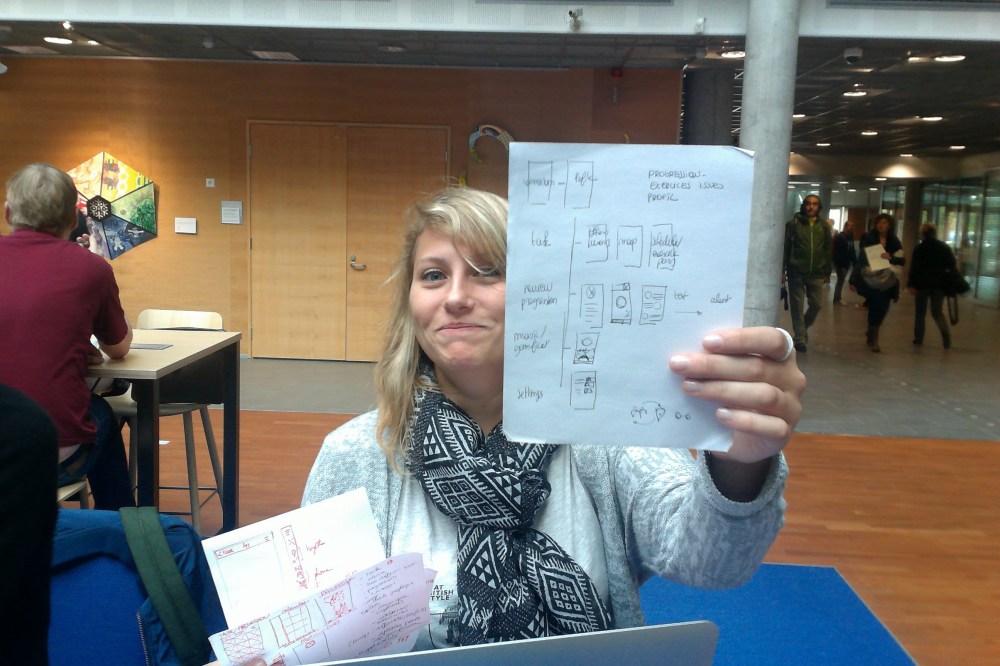
Early teamwork sketches to make abstract ideas tangible. This is always a great step, since once something is concrete, you might notice how many different interpretations people had on something that on the level of words was the same.
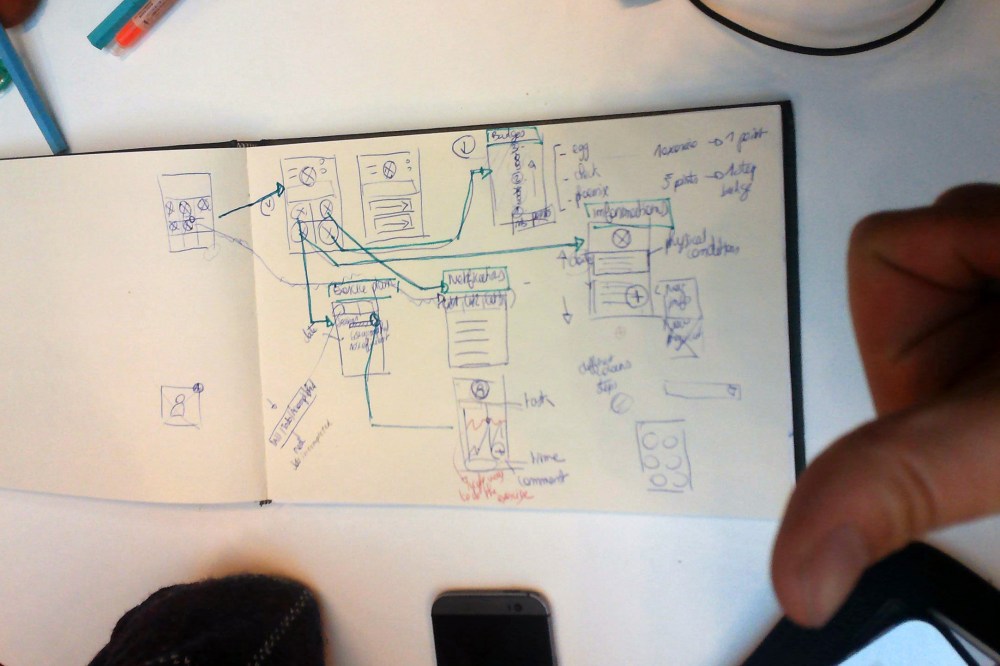
More refined wireframing sketches. We started with main interface screens (in this case three different ones) and started making an UI flowchart showing the navigation on the UI.
Digital wireframing
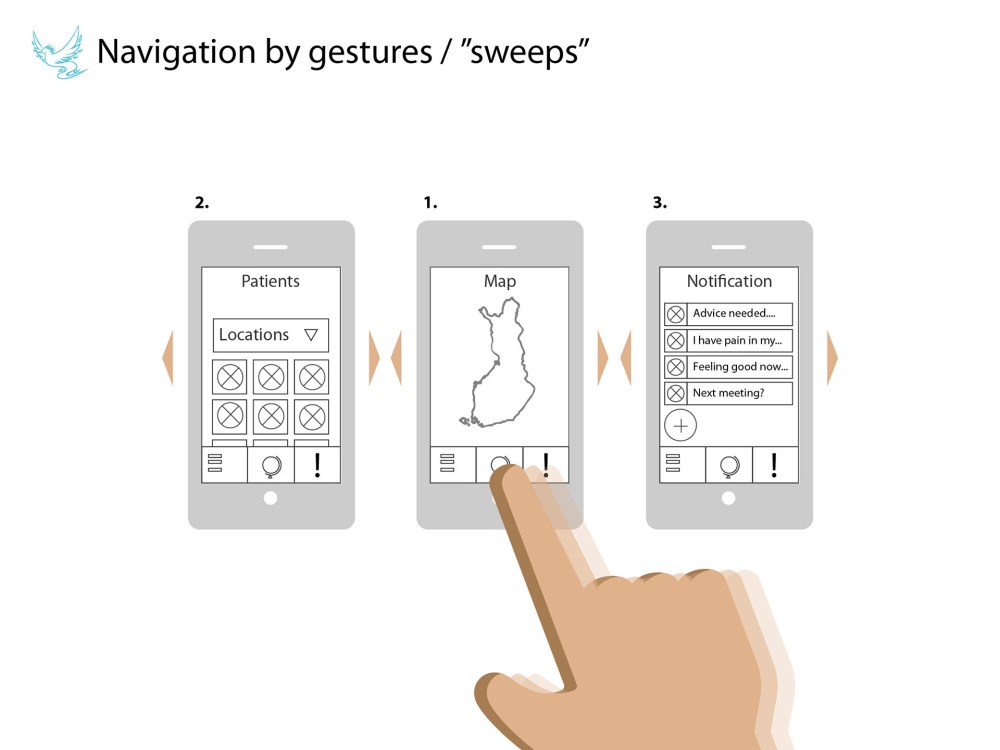
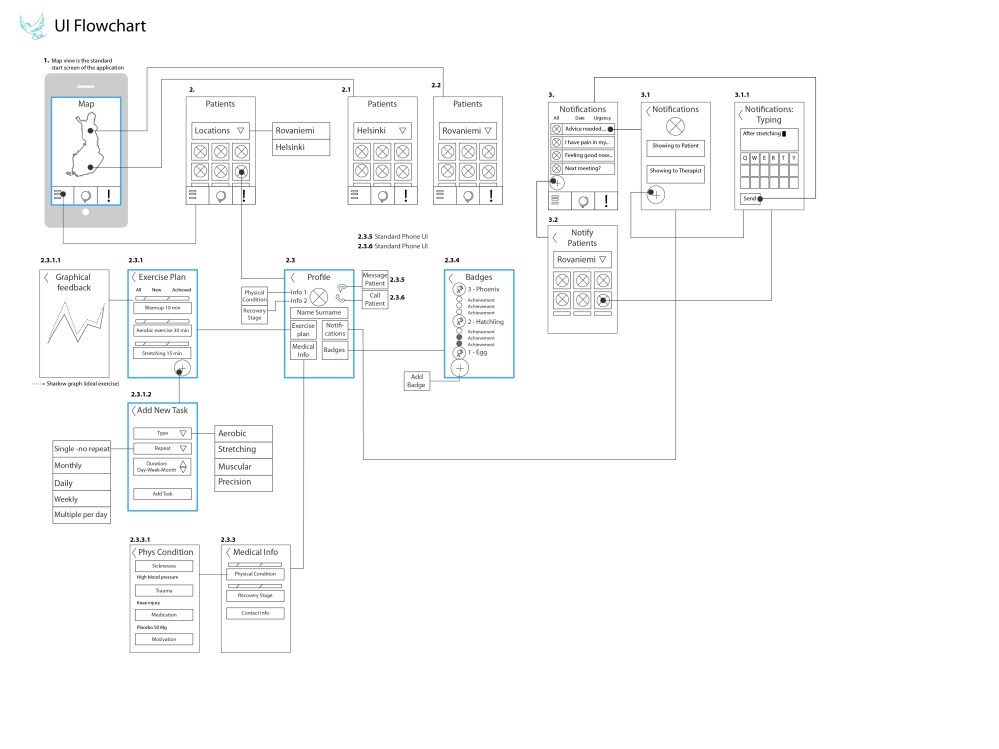
This was then refined to a digital wireframe and a flowchart. Numbering of individual screens was a great help for precise communication and dividing work. This stage also showed if there was something in the design that wouldn’t work on all screens of the interface. The wireframes and flowchart were drawn in Adobe Illustrator, which as a tool had pros and cons. With Illustrator you can produce a clean design quite fast, but the tools for maintaining consistency in design are not best possible.
OK, bring in the aesthetics!
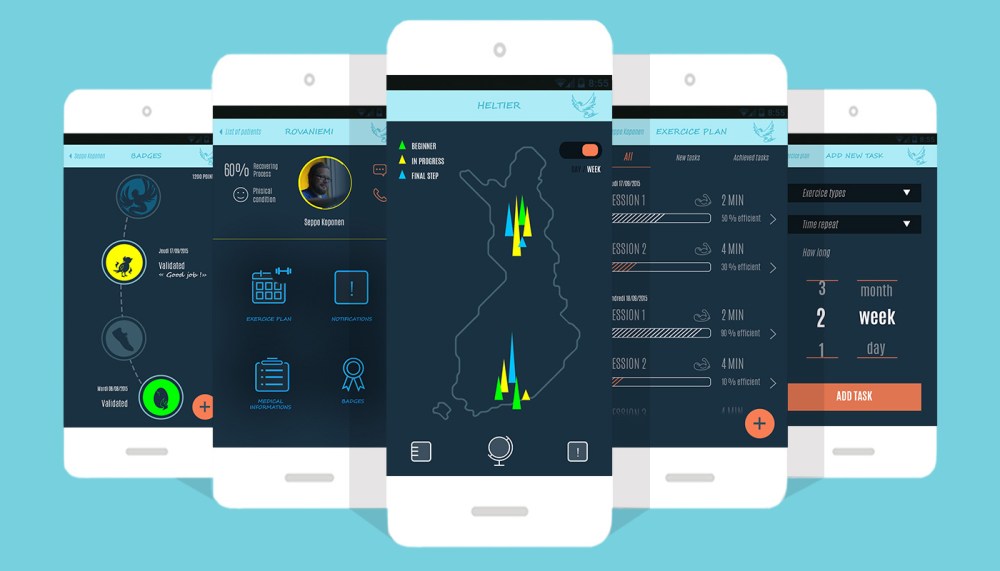
As a final result of this project the wire frames were transferred into polished design, which could then be evaluated and made into real software.
One can safely say, that paper prototyping and sketching simple wireframe UI models is great for:
- Getting you design right early in the project (ideas, user needs, precise goal for you and your stakeholders)
It is not so much great for:
- Prototyping something where the fine details of interaction, feedback or animation is vital.
You can also find some great advice on the topic:
Science, wow:
Heavy, well articulated reading for professionals:
A book by Buxton &al about sketching user interfaces
Great hand-on stuff for the more design/doing -oriented:
Sketching User Experiences: The Workbook

 sepon paja